Getting Started Guide
Step 1 - Install USB-Serial Driver (CP210X)
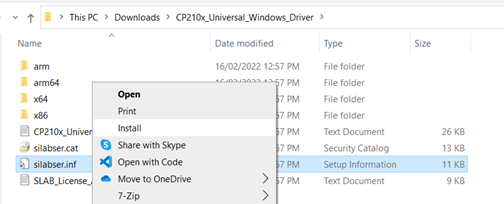
If you don’t have the serial driver installed on your PC, download and install the driver from here
Step 2 - Connect to the P0003 board
Connect your PC to the charger via USB cable
Step 3 - Establish a connection using the web application
Click connect in the application bar above
Step 4 (Optional) - Install application for offline use
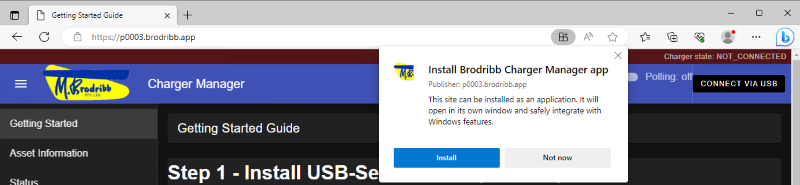
Click on the install icon in the browser address bar, then click install.
You will then be able to open like a regular windows application and can use the application without an internet connection.
Install from Microsoft Edge Browser
Install from Chrome Browser
